Carlson RT5 | RTk5 Tablet SIM setup
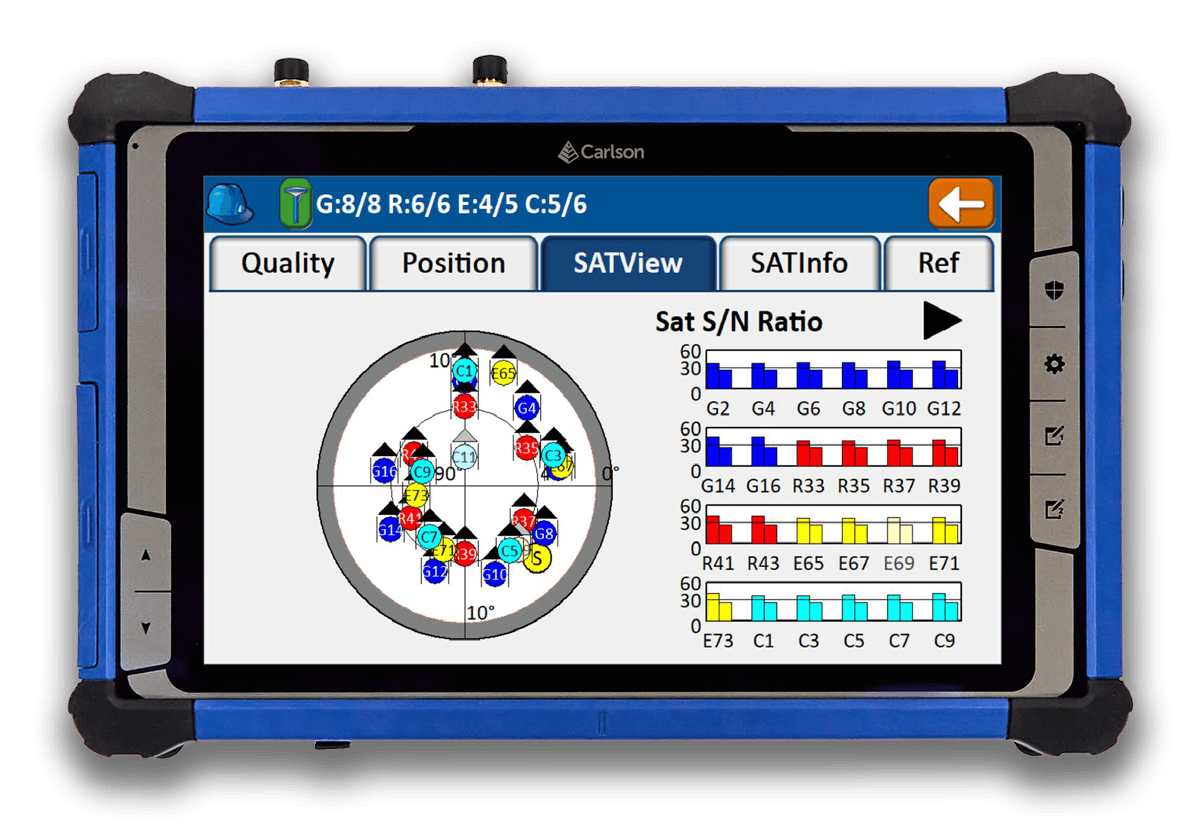
Install SIM
Power off the tablet and install the nano SIM under the battery cover.
APN setup
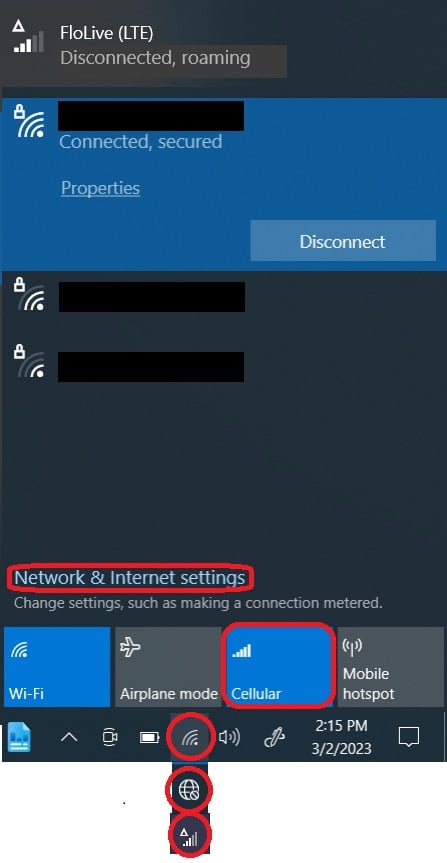
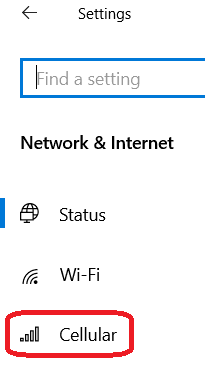
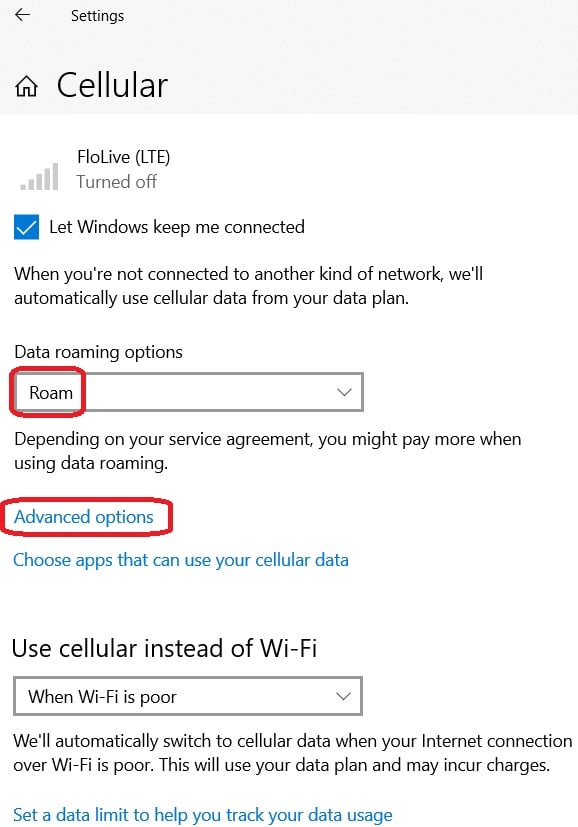
Run RTK-Mobile-Setup.exe to configure the connection, or add an APN profile named
RTKMobilewith APN nameflolive.netmanually.Activate SIM
If the program says the SIM is not activated, scan the QR code on your SIM card or enter your ICCID on the activation page.
RT5 instructions apply to both the RT5 and RTk5.
Install SIM
- Turn off the RT5 by selecting "Shut down" from the power icon on the welcome screen or in the Windows menu.
- Remove the battery door by disengaging the safety and sliding the battery lock switch to the unlocked position and hold.
- Remove the battery by pulling up on the battery next to the recessed plastic.
- Unscrew battery cover with small Phillips screwdriver (4 screws).
- Insert the nano SIM (smallest cutout) in the sim slot closest to the center of the RT5 until it clicks in.
- Replace the metal cover with screws (4) that protect the SIM, replace the battery, engage safety switch.
APN Setup
Choose how you want to set up the APN below. Both work; you only need to complete one.
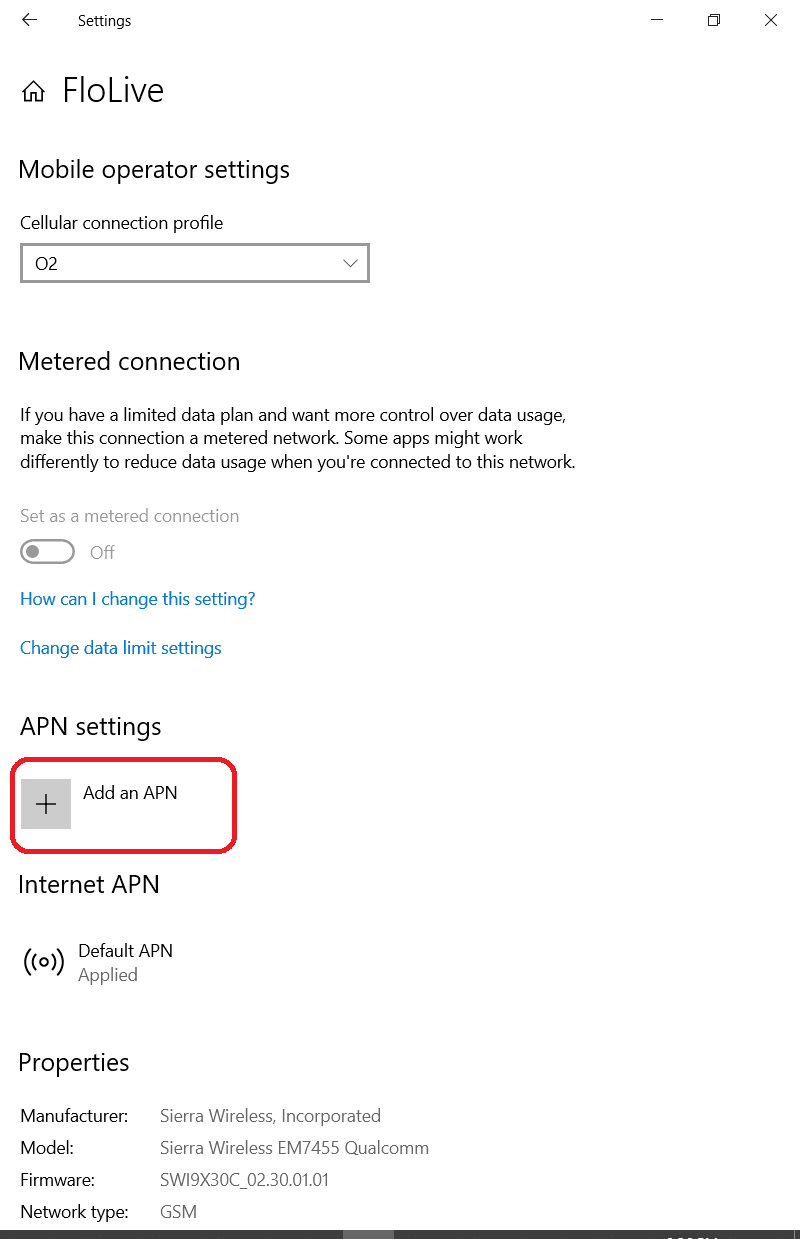
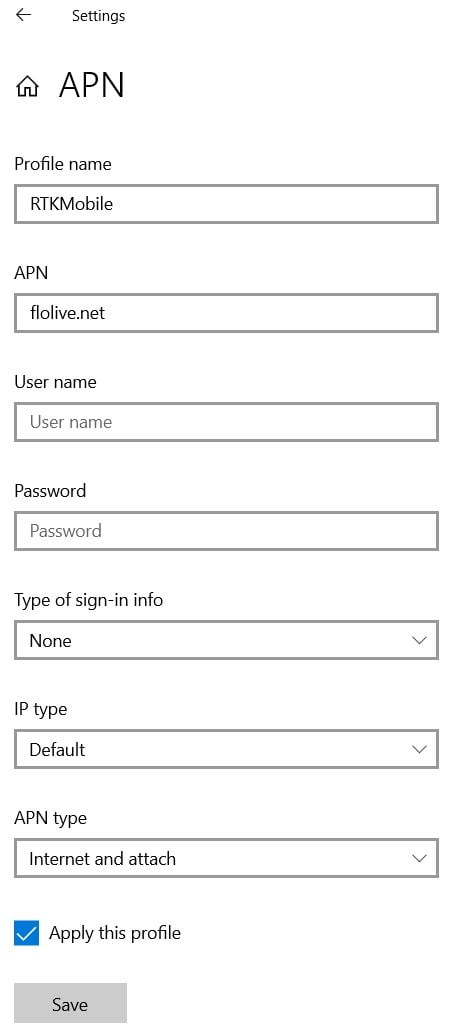

Activate SIM
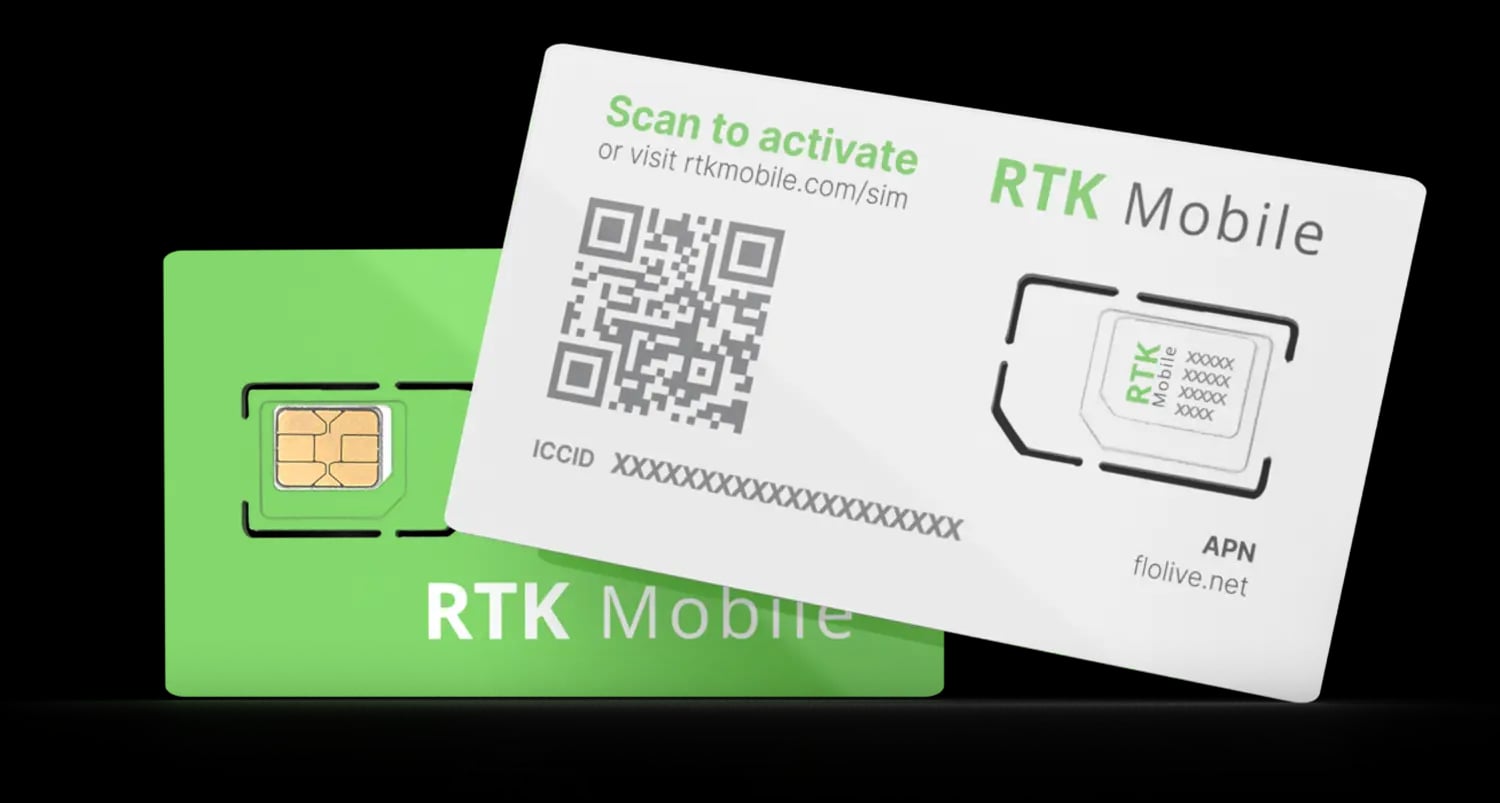
RTK Mobile Setup checks whether your SIM is activated and sends you to the activation page if it is not. You can also check yourself: use your phone camera to scan the QR code on your SIM card holder or Click Here to type the ICCID in and make sure your SIM card has been activated. The ICCID is printed on the SIM card holder QR label and on the SIM itself. If it is not activated, buy a data plan subscription and associate it with the SIM.
Next Steps
Now you can configure Carlson SurvPC or Carlson Layout to send RTK corrections to your GNSS receiver: